- AI
- Software Design
- Design Patterns
- Software Engineering
Do Design Patterns Still Matter When AI Writes the Code?
AI can generate code in minutes. Design patterns still help us decide whether that code is something we can safely change and own.
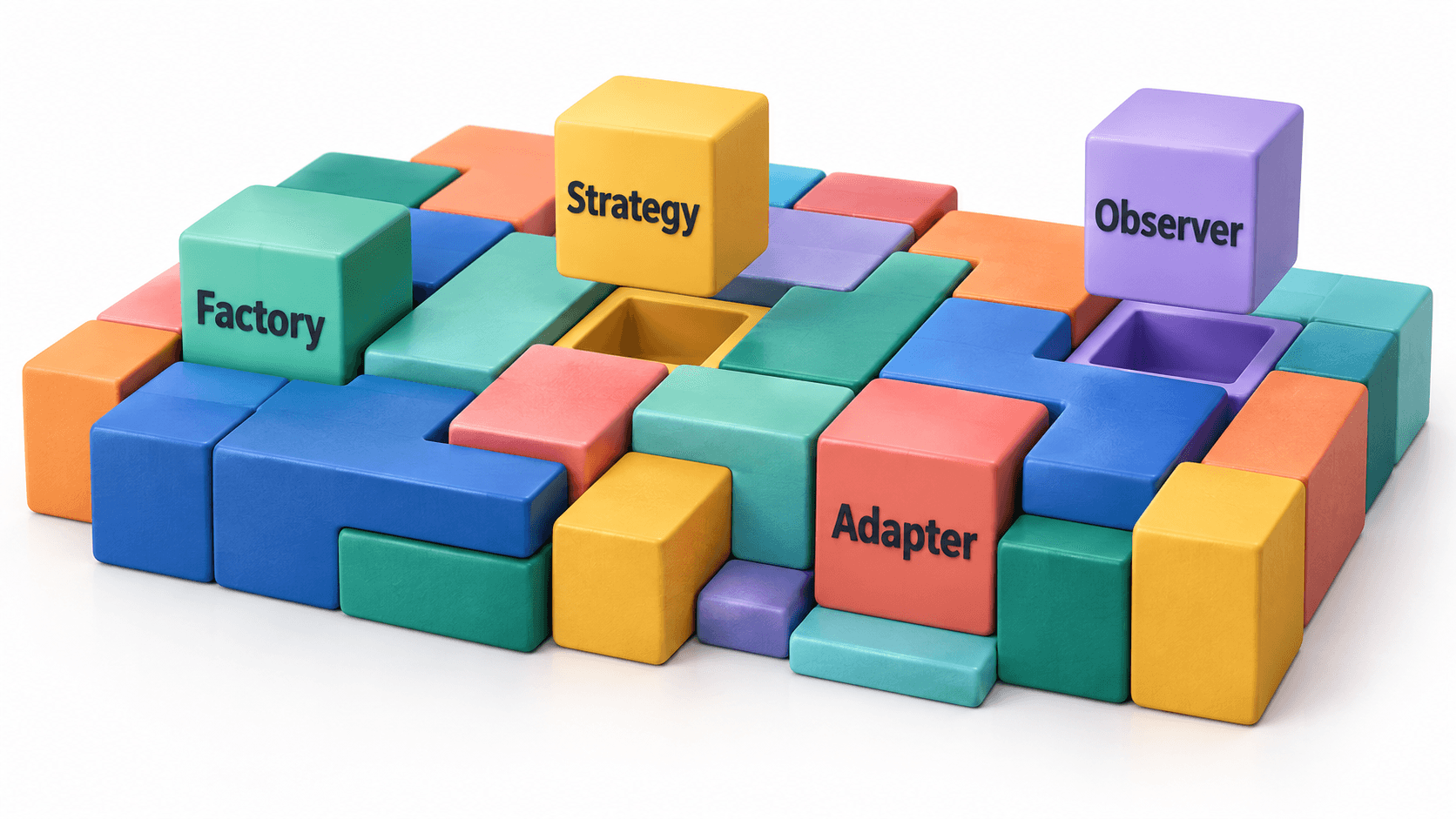
You describe an application to an AI.
It creates the pages, connects a database, adds an API, fixes its own errors, and gives you something that works. What once looked like a month of development begins to appear over a cup of coffee.
That experience can make software design patterns feel like artifacts from another era.
Why learn Factory, Strategy, Adapter, or Observer when you can simply describe the feature and let AI decide how to build it?
Because generating code and designing software are not the same responsibility.
AI has changed how quickly code can appear. It has not removed the need to decide where responsibilities belong, which parts should depend on each other, what must be allowed to change, and what will happen when the generated code is wrong.
Vibe coding changes who types the code. It does not change what the code must survive.
Working Is Not the Same as Being Designed
Vibe coding is excellent for experimentation. You can test an idea before investing weeks in it. You can build a personal tool without first becoming a professional programmer.
The tension begins when the experiment becomes a product.
Imagine that our AI-built application already emails customers after an order. Then someone asks:
“Can we also send the confirmation by text?”
It sounds like a tiny change. The message already exists. The customer's phone number is already in the system. Surely we only need to connect an SMS service.
Then we look beneath the working interface.
The email logic is mixed with the order logic. The checkout page assumes every confirmation is an email. Customer information is stored in a format the SMS provider cannot use. Failed messages have no retry process because the original email system never needed one.
Nobody necessarily wrote bad code. The AI solved the request it was given. But one innocent change has pulled on a thread connected to the entire application.
The first version asks, “Can this work?”
Software design asks, “What happens when this needs to change?”
Software Still Has an Invisible Shape
Every application has a shape, even if nobody deliberately designed it.
Some parts make decisions. Some remember information. Some communicate with customers. Some talk to databases or external services. Software design determines where those responsibilities live and how tightly they are connected.
When everything is tangled together, a small change in one place can disturb five others. When responsibilities have clear boundaries, one part can change without requiring the entire system to come along for the adventure.
That is where design patterns enter the conversation.
A design pattern is a named way of arranging responsibilities to solve a problem that appears repeatedly.
It is not a finished piece of code. It is not a rule every application must follow. It is closer to a shared sketch that lets developers say, “We have seen this kind of problem before.”
In AI-assisted development, the value shifts from memorizing how to type each pattern to recognizing the problem it addresses.
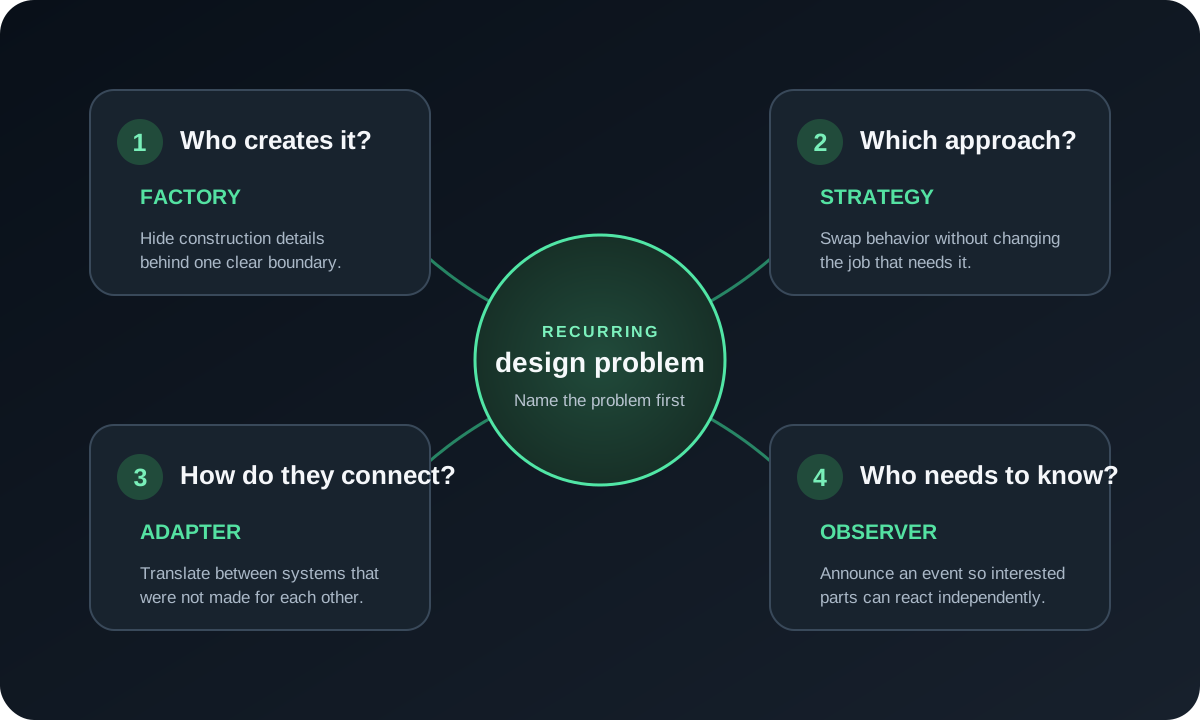
A Quick Tour of Four Patterns
This is only a first look. The goal is not to memorize their formal structures. It is to notice the kind of problem each pattern is trying to solve.
Factory: Who Should Create It?
Our application can now send email or SMS, with push notifications possibly coming next.
The order system should not need to understand how every sender is constructed. It can ask another part of the application to provide the right sender for the customer's chosen channel.
That creation boundary is the basic idea behind a Factory.
Strategy: Which Approach Should We Use?
An urgent security warning should be sent immediately. Routine updates might be collected into a daily summary. A customer may prefer SMS for deliveries but email for receipts.
These are different approaches to the same responsibility. A Strategy lets the application select the behavior that fits the situation without rewriting the rest of the workflow.
Adapter: How Do These Systems Understand Each Other?
Our application thinks in terms of a recipient and a message. An external SMS provider may expect a country code, template identifier, account credentials, and a specially formatted request.
An Adapter translates between what our application understands and what the external service expects—much like a travel adapter connects two things that were not built for each other.
Observer: Who Needs to Know?
Completing an order may need to trigger a confirmation, update inventory, notify the kitchen, record analytics, and award loyalty points.
With an Observer, the order system announces that something happened. Interested parts can listen and react without the order system directly controlling every one of them.
The Patterns Can Work Together
These ideas are not isolated boxes. One workflow may use several of them.
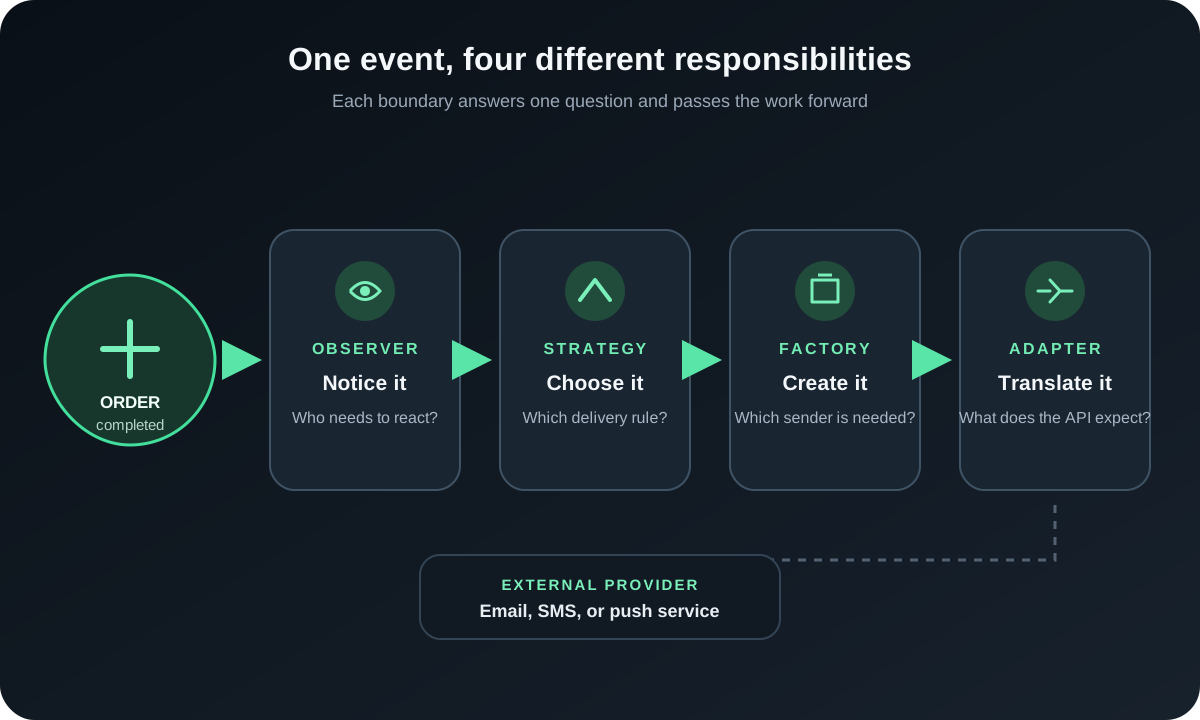
The Observer notices that an order was completed. A Strategy decides how the customer should be contacted. A Factory supplies the appropriate sender. An Adapter translates the request for the external provider.
Does every notification system need all four?
Absolutely not.
A small application that sends one kind of email may need only a function named sendConfirmation. Giving it four interfaces and seven classes would not make it better designed. It would make sending an email surprisingly ceremonial.
What AI Changes—and What It Does Not
AI can generate a Factory in seconds. The more important judgment is whether object creation has actually become a problem and whether another abstraction will make the application clearer.
It can also generate unnecessary complexity at extraordinary speed. Ask for something “clean, scalable, and enterprise-ready,” and you may receive factories, repositories, services, interfaces, and enough folders to make a login form feel like public infrastructure.
Google's 2025 State of AI-assisted Software Development report describes AI as an amplifier. It can magnify the strengths of a healthy engineering system, but it can also magnify the weaknesses.
That is why design knowledge still matters. It helps us:
- describe the boundaries we want AI to respect;
- recognize when generated code has mixed unrelated responsibilities;
- ask what becomes easier—or harder—to change;
- reject an impressive abstraction when a simple function is enough;
- and explain the system to the next person who must own it.
The skill is becoming less about remembering every line of a textbook implementation and more about recognizing the shape of a problem.
AI can generate the structure. Someone still has to decide whether it is the right structure.
Next: One Pattern at a Time
This article only scratches the surface.
Next, I want to take these patterns one at a time and show the real problem behind each one—without assuming that everyone reading already speaks fluent software architecture.
We will begin with Factory: the difference between a simple factory, Factory Method, and Abstract Factory; why developers confuse them; when they genuinely help; and when AI is adding a factory that the application never needed.
Then we can dig deeper into Strategy, Adapter, Observer, and other patterns using the same approach: start with a relatable problem, introduce the pattern only when it becomes useful, and be honest about the tradeoff it creates.
Design patterns are not spells that transform generated code into good software.
They are names for lessons people learned after changing the wrong piece of software became expensive, frightening, or exhausting.
AI may write the next implementation.
We still have to decide whether it is something worth owning.
How did this land?
A tiny signal is enough—no account needed.